








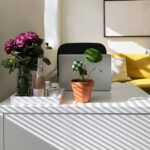


Creating a clutter-free and efficient home workspace can significantly improve your productivity and overall mood. Whether you work remotely full-time or occasionally need a spot for personal projects, having an organized space helps reduce distractions and gives you a sense of control. Here are some friendly, practical tips to help you set up and maintain a workspace that supports your best work.
Choose the Right Location
The first step to an efficient workspace is selecting a suitable spot in your home. Ideally, pick a quiet area with good natural light, away from high-traffic zones like the kitchen or living room.
– Consider lighting: Natural light reduces eye strain. Position your desk near a window if possible.
– Minimize distractions: Avoid noisy or busy areas to maintain focus.
– Evaluate space: Make sure there’s enough room for your work essentials and some movement.
Declutter Regularly
Clutter can cause stress and hamper productivity. A tidy desk helps your mind stay clear.
– Sort and categorize: Keep only the items you use daily on your desk.
– Use trays or organizers: Allocate specific spots for papers, office supplies, and electronics.
– Daily tidy-up: Spend 5 minutes at the end of each workday putting things back in place.
Invest in Functional Storage Solutions
Storage helps you keep essential items close but out of sight.
– Shelves and cabinets: Use vertical space to store books, binders, and documents.
– Drawer organizers: Divide drawers into sections for pens, chargers, and small tools.
– Cable management: Use clips or sleeves to keep cords neat and untangled.
Choose Ergonomic and Comfortable Furniture
Comfort is key for long work sessions.
– Adjustable chair: Select a chair that supports good posture with adjustable height and back support.
– Desk height: Your desk should allow your elbows to bend at about 90 degrees when typing.
– Foot support: Use a footrest if your feet don’t comfortably reach the floor.
Optimize Your Digital Workspace
Physical clutter isn’t the only concern; digital clutter can slow you down as well.
– Organize files: Use clear folder structures for documents and projects on your computer.
– Declutter desktop: Remove unnecessary icons and shortcuts.
– Backup data: Regularly back up important files to avoid data loss.
Create a Personalized but Minimalist Space
Adding personal touches can make your workspace inviting but keep it simple to avoid distraction.
– Add greenery: A small plant can boost mood and air quality.
– Use calming colors: Soft, muted tones encourage focus and relaxation.
– Limit décor: Choose a few meaningful items rather than crowding your space.
Establish Boundaries for Work and Home Life
Keeping mental boundaries helps maintain work-life balance.
– Set working hours: Stick to a schedule to avoid overworking.
– Turn off notifications: Silence non-urgent alerts during focus times.
– Define your workspace: Use your home office only for work-related activities when possible.
Maintain Routine Maintenance
An organized workspace requires ongoing care.
– Weekly deep clean: Dust surfaces, vacuum floors, and clean electronics.
– Inventory supplies: Replenish office materials before they run out.
– Evaluate workflow: Adjust your setup as your work habits change.
Conclusion
A clutter-free and efficient home workspace is achievable with thoughtful planning and regular upkeep. By choosing the right location, managing physical and digital clutter, and creating a comfortable environment tailored to your needs, you can transform your workspace into a place of productivity and calm. Start small and make gradual changes, and your workspace will soon support your best workday after workday.

